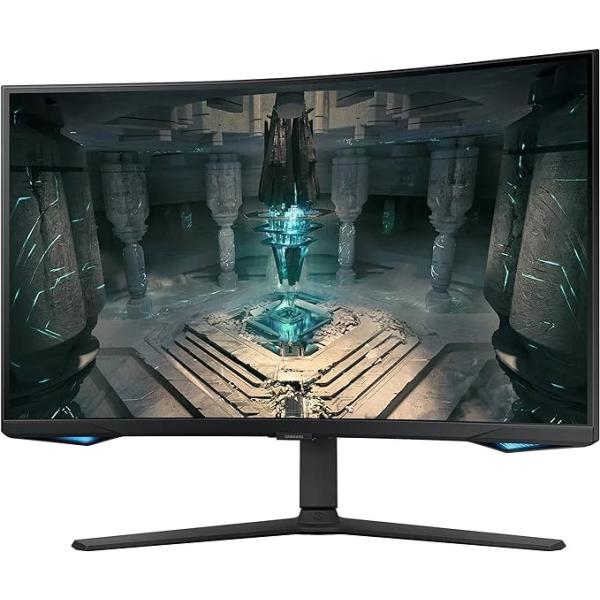
Gaming monitors are built for high refresh rates, fast response times and adaptive sync. Whether you game after hours or run fast-moving visualisations, a 144Hz or higher display makes motion look smooth rather than blurry. Curved panels draw the eye into the frame and reduce glare from room lighting.
When choosing a gaming display, match the refresh rate to what your graphics card can drive. A 1440p 144Hz panel is the sweet spot for most setups; a 4K 144Hz screen needs more GPU power. We stock panels that pair with mainstream and enthusiast rigs, and can suggest a display that matches the machine you already have.
High-refresh curved and flat gaming monitors from brands we support locally.
We help match resolution, refresh rate and adaptive sync to your GPU.
Backed by manufacturer warranty handled here in Australia.
Refresh rate, adaptive sync and panel choices explained for buyers.
60Hz is fine for office work; 120Hz to 165Hz is the sweet spot for smooth gaming and noticeably smoother cursor and scrolling; 240Hz plus benefits competitive players. Above 165Hz the gain is marginal for most users, so we match the panel to the use rather than the biggest number.
Adaptive sync removes screen tearing and stutter by matching the display to the GPU frame rate. NVIDIA G-SYNC suits GeForce cards; AMD FreeSync suits Radeon. Many current monitors support both via Adaptive-Sync. We confirm your GPU before recommending a panel.
For a single large ultrawide, curvature reduces edge distortion and eye movement; for multi-monitor grids, flat is simpler to align. We advise curvature based on desk width and whether the screen is solo or one of several.
IPS gives accurate colour and wide viewing angles for design and content work; VA offers deeper contrast for media; TN is fastest but colour-poor. For colour-critical work we specify a factory-calibrated IPS with a reported delta-E.